
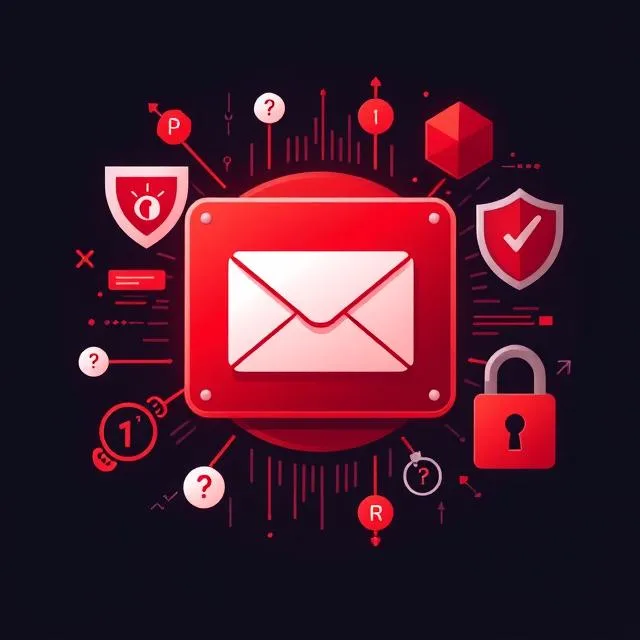
If you use Gmail, Outlook, or any other inbox, you will eventually be sent a message that looks official and asks you to act quickly. Some news headlines describe this as an “urgent warning” aimed only at those two providers. What we can say more carefully is this: phishing is common, attackers often impersonate trusted organisations, and official advice from agencies such as the U.S. Cybersecurity and Infrastructure Security Agency (CISA) is consistent and practical. This article follows that advice. It does not invent a unique FBI alert that we could not verify as a standalone official notice under the old headline.
What phishing is
CISA describes phishing as a form of social engineering. Attacks use email or malicious websites to solicit personal information by posing as a trustworthy organisation. A typical example is a message that looks as if it came from a bank or a well-known company, claims there is a problem with your account, and asks you to confirm a password, a card number, or a one-time code. If you reply or type those details into a fake site, an attacker can use them to get into the real account.
CISA also notes that phishing may appear to come from charities, and that attackers often piggyback on current events — natural disasters, health scares, tax season, elections, or holidays — because those moments make a message feel urgent and plausible. Related tricks include vishing (voice calls) and smishing (text messages that carry links or numbers to call).
Common signs of a bad email
No single clue is perfect, especially as wording improves, but CISA lists several indicators worth slowing down for:
- A sender address that almost matches a real company, with a few characters changed or dropped.
- A generic greeting such as “Dear Valued Customer,” and a thin or missing signature with no real contact details.
- Links that do not match the text you see. Hover over a link (on a computer) and check whether the actual address looks right. A site may also use a look-alike spelling, a different ending such as .net instead of .com, or a shortened URL that hides the destination.
- Poor spelling, grammar, or messy layout — still common, though not guaranteed.
- An unexpected attachment, especially if the message tries to rush you into opening it.
What to do instead of clicking
CISA’s avoidance advice is deliberately boring, which is the point:
- Be suspicious of unsolicited messages or calls that ask for personal, financial, or internal work information.
- Do not reveal those details by email, and do not follow links in a solicitation in order to “verify” an account. If you need to check, use a phone number or website you already know, from a previous statement or from a source you typed yourself — not from the message.
- On a website, look for https at the start of the address and for a padlock, understanding that a padlock alone does not prove the site is honest, only that the connection is encrypted.
- Keep anti-virus software, firewalls, and email filters in reasonable working order, and use any anti-phishing features in your email app and browser.
- Turn on multifactor authentication (MFA) wherever you can, so that a stolen password is less likely to be enough on its own.
The same habits apply in Gmail and Outlook because those are simply inboxes many people use. The advice is not unique to one brand of email.
If you think you have already been caught
CISA says that if you may have revealed work information, tell the appropriate people at your organisation, including IT or network administrators. If a financial account may be compromised, contact the institution immediately, close or freeze what they recommend, and watch for charges you do not recognise. Change any password you may have disclosed, and if you reused it elsewhere, change it there too and stop reusing it. CISA also points people toward identity-theft guidance and toward reporting, including to the police and the U.S. Federal Trade Commission where that applies.
In the United States, internet crime reports can also be filed with the FBI’s Internet Crime Complaint Center at ic3.gov. Be careful even there: the FBI has separately warned that scammers sometimes impersonate IC3 itself. If you need the official site, type the address yourself rather than trusting a search ad or a link in an unexpected email.
A calmer way to read “urgent warning” headlines
Scare headlines travel farther than checklists. If you see a story that says one agency has just issued a unique alarm to Gmail and Outlook users, look for a link to an official .gov page and read that. If you cannot find one, treat the story as a reminder to follow standing advice, not as proof of a new, named attack that requires you to click a link in the same article.
Calls and texts use the same tricks
CISA’s page is also worth reading if the pressure arrives by phone or SMS rather than email. Vishing uses voice calls, sometimes with a spoofed caller ID, to talk you into revealing information or calling a number the attacker controls. Smishing uses text messages that may contain links, email addresses, or phone numbers; tapping them can open a browser or start a call before you have had time to think. The defensive habit is the same as with email: do not give out codes, passwords, or bank details on the strength of an unexpected contact, and do not use the callback number in the message itself if you want to check whether a company really called you.
CISA also describes a broader social-engineering pattern in workplaces: someone appears helpful or official, asks a few harmless questions, then uses the answers to sound more convincing to the next person. The fix is not paranoia about every colleague. It is a rule that sensitive information is not handed out until you have checked who is asking by a channel you already trust.
Sources
The pages below were opened and checked while this rewrite was prepared (21 November 2026, Asia/Calcutta). Official figures and rules can change. If a live page differs from what is summarised here, follow the official page.