
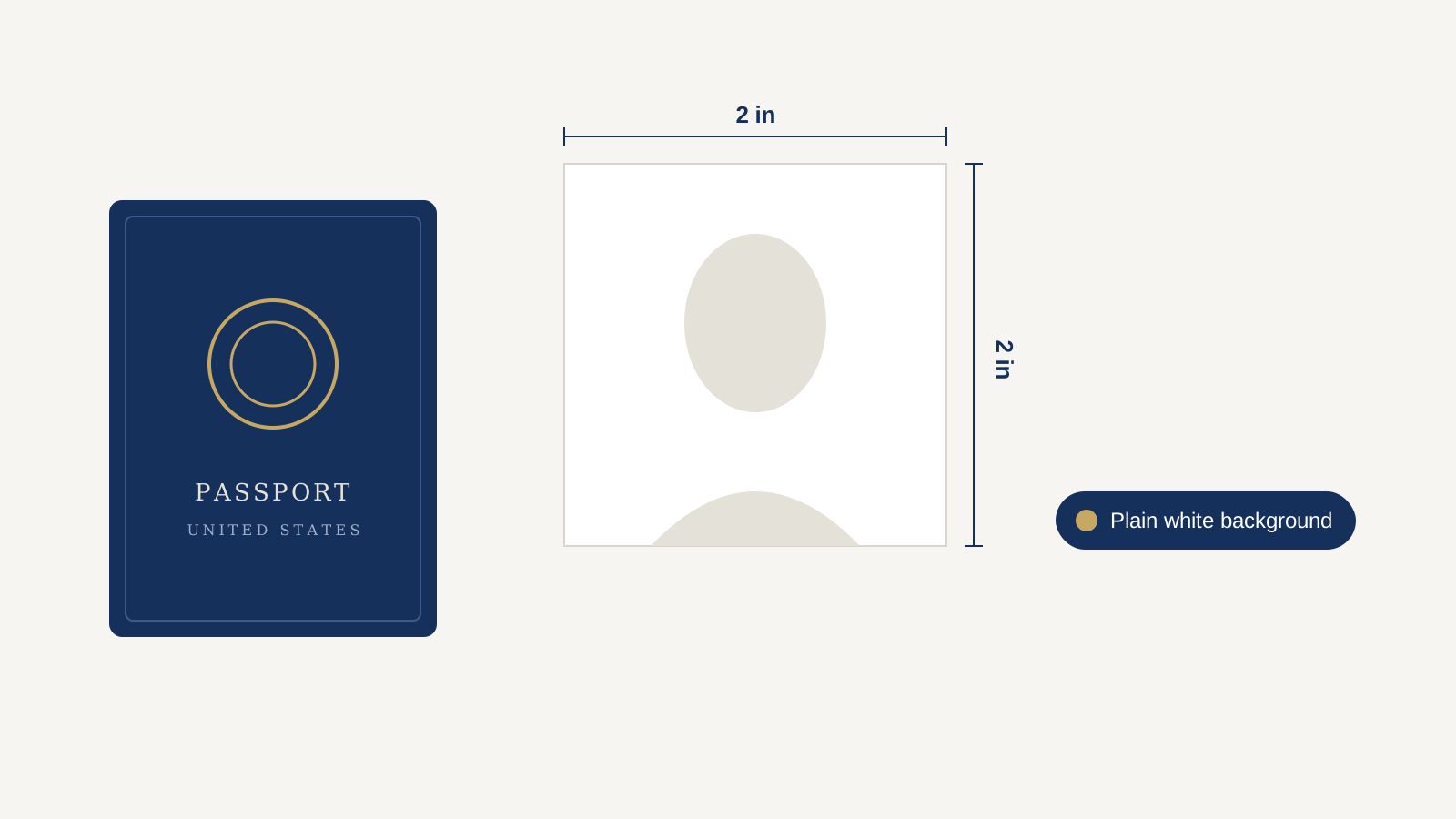
Getting your passport photo wrong is one of the most common reasons applications get held up. The rules are precise, they’re enforced strictly, and the U.S. Department of State doesn’t leave much room for “close enough.” This guide walks through exactly what’s required in 2026, what changed recently, and how to get a compliant photo at home without paying for a photo studio or a paid app.
The Official Size and Format Requirements
Your printed passport photo must measure exactly 2 x 2 inches (51 x 51 mm), with your head sized between 1 and 1 3/8 inches (25-35 mm) measured from the bottom of your chin to the top of your head. Your hair can extend past the edges of the frame as long as your whole head is visible and correctly sized. The photo has to be in color and taken within the past six months — an old photo, even one that still looks like you, will be rejected.
Background, Lighting, and Attire
The background must be plain white or off-white, and you need to wear normal daytime clothing — uniforms or anything that resembles one aren’t permitted. Position yourself several feet from a white wall or backdrop; standing too close or too far away from the camera throws off your head size in the frame, which is one of the most common rejection triggers.
For expression, you need a neutral expression or a natural smile, both eyes open, mouth closed, and your head facing the camera directly without tilting.
What’s No Longer Allowed
Glasses are the single most common mistake people still make out of habit — the State Department’s own photo examples explicitly flag glasses as unacceptable, full stop, even if you wear them every day. Along with that, the official photo examples call out several specific failures: standing too close or too far from the camera, having your head off-center, looking up or down instead of straight ahead, a non-neutral expression, head coverings or hair covering part of your face, shadows on the face or background, and a background that isn’t plain.
Head coverings are allowed only for documented religious or medical reasons, and even then your full face has to stay visible.
Digital Photo Requirements for Online Renewal
If you’re renewing online rather than mailing in a paper form, you upload a digital file instead of a print. The State Department’s online renewal system accepts JPG, JPEG, PNG, HEIC, or HEIF files — most phone photos already save in one of these formats, so you usually don’t need to convert anything. Not everyone qualifies for online renewal, though — eligibility depends on things like how recently your last passport was issued and whether your travel plans or personal details have changed, so it’s worth checking your eligibility on the official portal before you start.
How to Take a Compliant Photo at Home for Free
You don’t need a studio or a paid photo app to get this right. Here’s the whole process:
- Find a plain white wall and stand a few feet in front of it, in even daylight (a window works well — avoid harsh overhead light, which causes shadows).
- Have someone else take the photo on a phone, standing several feet back so your head isn’t distorted by a close-up lens.
- Face the camera directly, neutral expression or closed-mouth smile, both eyes open, no glasses.
- Check the background. If your wall isn’t perfectly plain — texture, shadows, a picture frame in frame — you can remove the background for free and drop in a clean white one instead, which solves the single most common rejection cause without needing a paid tool.
- Crop to a square and resize so your head falls within the 1–1 3/8 inch range relative to the frame.
- Don’t edit your face. Skin smoothing, blemish removal, or anything that changes your appearance isn’t allowed — the background is fair game to clean up, your face isn’t.
We’ve also got a full walkthrough on removing a passport photo background if you want more detail on that specific step.
Passport Photos for Babies and Infants
Infant photos follow the same size and background rules, with a couple of practical exceptions: your baby’s eyes don’t have to be wide open (a sleeping baby is often acceptable), and there can’t be another person, hand, toy, or pacifier visible in the frame. Lay the baby on a plain white sheet or blanket and shoot from directly above for the most reliable result.
DIY vs. a Paid Passport Photo Service
| DIY at home | Paid service (CVS, Walgreens, USPS, apps) | |
|---|---|---|
| Cost | Free | $10–$20+ |
| Time | 10–15 minutes | Trip to a store, or app subscription |
| Control over retakes | Unlimited | Limited (in-store) or paid re-tries (apps) |
| Risk of rejection | Low, if you follow the size/background rules | Low, but you’re paying for that assurance |
If you’re comfortable following a checklist, DIY is genuinely fine — the requirements are specific but not complicated once you’ve read through them once.
Frequently Asked Questions
What size does a US passport photo need to be?
2 x 2 inches (51 x 51 mm), with your head measuring 1 to 1 3/8 inches from chin to crown.
Can I wear glasses in my passport photo?
No — current guidance does not permit glasses in passport photos, even if you wear them daily.
Can I smile in my passport photo?
Yes, a natural smile is fine as long as your mouth stays closed and both eyes are open. A neutral expression also works.
Can I use my old passport photo for a renewal?
No — your photo needs to have been taken within the last six months, even if you still look the same.
What file types are accepted for online passport renewal?
JPG, JPEG, PNG, HEIC, or HEIF.
Do babies have to have their eyes open in passport photos?
No — a sleeping infant’s photo is often acceptable as long as no other person or object is visible in the frame.
Can I take my own passport photo at home?
Yes. As long as it meets the size, background, and expression requirements, a photo taken at home — even on a phone — is accepted.
Before You Apply
The photo rules are strict because they’re the number one reason applications get held up — but they’re also entirely within your control. Get the size, background, and expression right, skip the glasses, and you’ll clear the most common rejection points before you even submit.
If your background isn’t quite plain enough, our free background remover can fix that in seconds — no signup, no cost.